
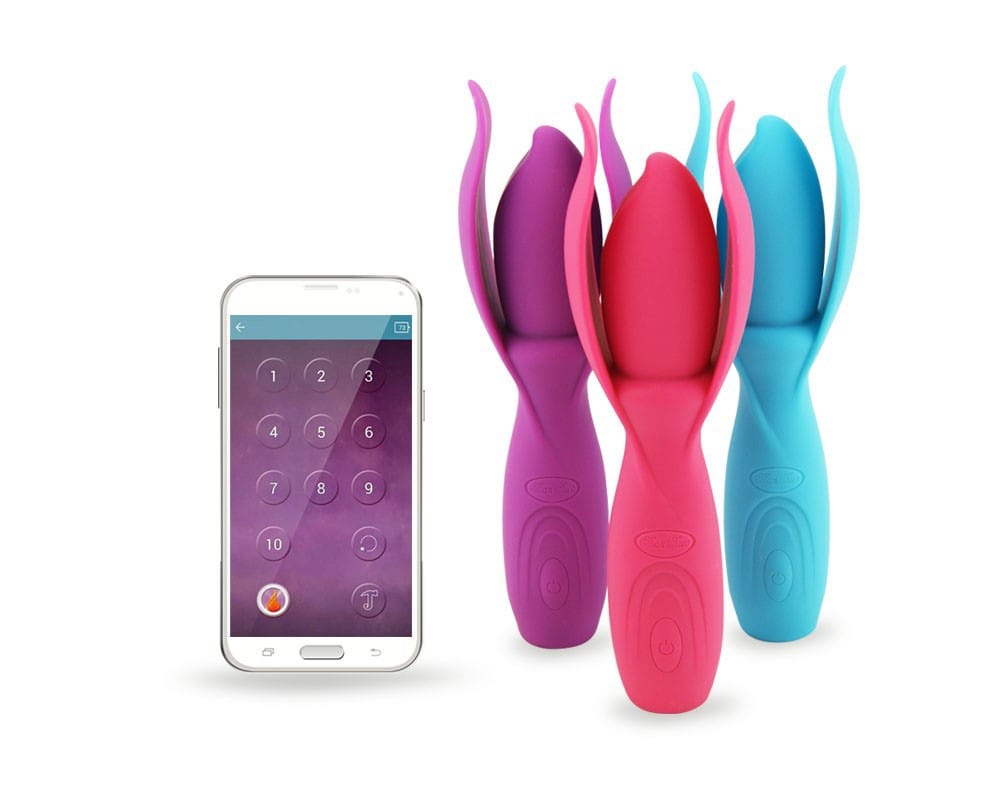
APP-Control Lotus Wand Vibrating Massager USB Rechargeable
Original price was: ₹11,212.00.₹6,999.00Current price is: ₹6,999.00.
APP-Control Lotus Wand Vibrating Massager USB Rechargeable
Material
Medical grade Silicone
Weight
235g(G.W.)
Color
Red/Purple/Blue
Power
High Capacity Li-ion Battery
Size
L11cm* Φ 3.5cm
Package
Color box with sponge lining
Working mode
10 vibrate speed/pulsation
The APP-Controlled Lotus Wand Vibrating Massager is a USB rechargeable, smart-controlled wand designed for external massage and intimate pleasure. It can be controlled via a mobile app, offering multiple vibration modes and remote access features.
1. Check the Package Contents of Lotus Wand Vibrating Massager
Ensure your package includes:
✅ Lotus Wand Vibrating Massager
✅ USB Charging Cable
✅ User Manual
Read the user manual for model-specific instructions.
2. Charge the Lotus Wand Vibrating Massager Before Use
Connect the USB cable to a power source and charge the wand fully before the first use.
✔️ Most wands have an indicator light that turns off or changes color when fully charged.
3. Clean the Lotus Wand Vibrating Massager Before Use
Wash the wand’s massage head with warm water and mild soap or a toy cleaner.
If waterproof, rinse under running water.
⚠️ Avoid submerging unless stated as waterproof.
4. Download & Install the Mobile App
Go to the App Store (iOS) or Google Play Store (Android) and search for:
Lotus Wand Smart Control App (or the app recommended in the user manual)
Install the app on your smartphone or tablet.
5. Turn On & Connect the Wand to the App
Press and hold the power button on the wand until the indicator light turns on.
Enable Bluetooth on your phone.
Open the app and follow the on-screen instructions to pair your wand.
✔️ Once connected, test different vibration controls via the app.
6. Use the Wand for Stimulation
External Body Massage
Use the wand head to massage areas like:
- Neck & shoulders
- Back & legs
- Arms & feet
Intimate Use (External Stimulation)
Place the wand on sensitive areas such as:
- Clitoris for intense stimulation
- Nipples for teasing pleasure
- Inner thighs & perineum for relaxation
Partner Control & Long-Distance Play
Some models allow Wi-Fi control, letting a partner control the vibrations remotely via the app.
7. Adjust the Vibration Settings
The app offers multiple modes, such as:
Music Sync Mode – Vibrations follow your favorite songs.
Touch Mode – Control vibration strength by swiping on the screen.
Interactive Mode – Connect with a partner for remote control.
Scheduled Mode – Set vibrations to activate at specific times.
8. After Use: Turn Off, Clean & Store
❌ Turn off the wand via the app or by holding the power button.
Clean the wand head with warm water and mild soap or a toy cleaner.
Store in a cool, dry place, away from dust and sunlight.
Safety Tips
Do not use anally unless designed for it.
⏳ Limit use to 20-30 minutes to prevent overstimulation.
Do not share without proper sanitization.
Stop using immediately if you feel pain or irritation.
Be the first to review “APP-Control Lotus Wand Vibrating Massager USB Rechargeable”
Related products

Strap On Dildo
Strap On Dildo
Strap On Dildo
Strap On Dildo
Strap On Dildo
Sex Toys for Anal
Strap On Dildo
Reviews
There are no reviews yet.